.svg?fit=max&auto=format&n=dWcfLX8ihtBnx27z&q=85&s=063a44188d21b27136ad7d37c34ee2eb)

Import
Usage
app/page.tsx
Props
children
React.ReactNode
The element that opens the modal. Rendered inline as the trigger;
clicking it opens the dialog. Typically a <button>, but any element
that accepts onClick works.
flows
FlowConfig — optional
The deposit methods to offer, listed in the order you want them
rendered within each section. Group them into the picker’s two sections,
or pass a flat array and the picker groups it for you. Every method you
list renders as a row — the config is authoritative, so list only the
methods that work for your chain and currency.
Defaults to
["swap", "bank"]. List cashapp, exchange, or a card
provider explicitly to add them. List at most one card provider across
the whole config — activating both card and card[stripe] throws an
error. cashapp is USD-only and throws when rendered with any
other currency.
app/page.tsx
Sections
The methods render behind two tabs, crypto first, opening on crypto. The bar appears only when both sections hold at least one method, so configuring a single section gives you a plain list. Each array may only hold methods from its own section. Puttingblink
under cash throws.
What each shape renders
A full config draws the two tabs with every method you listed: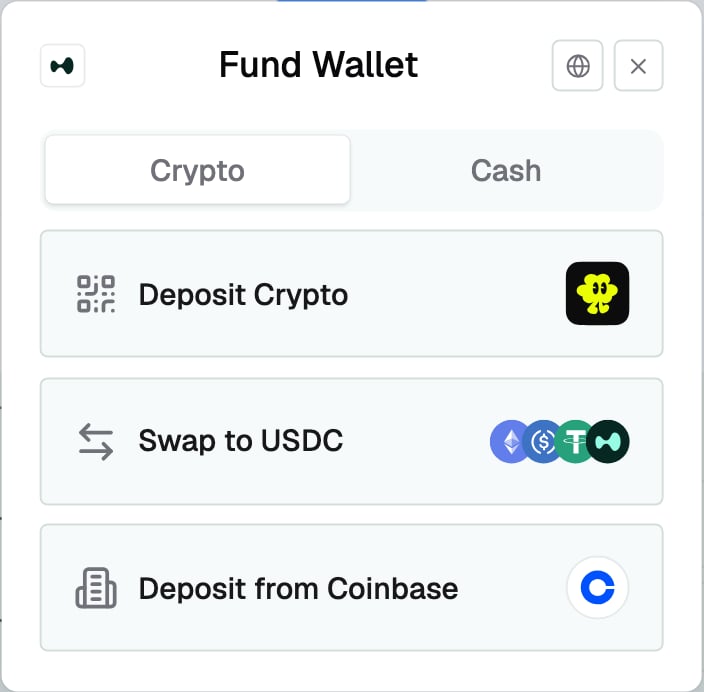
Both sections configured, crypto tab active
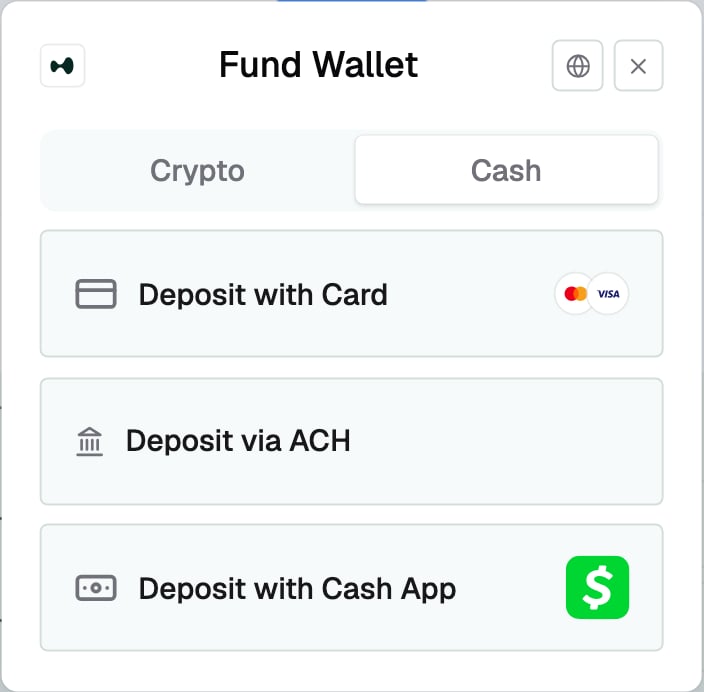
The same config on the cash tab
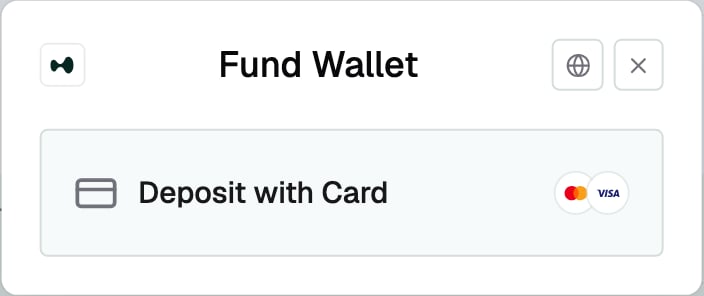
A cash-only config with just the card method
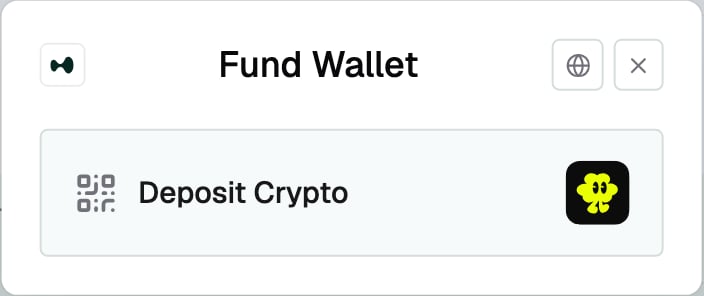
A crypto-only config with just the blink method
The flat array
A flatFlow[] still works: the picker files each method into its
section for you, keeping your order within each section.
{ cash: ["bank"], crypto: ["swap"] } — and
the same layout rule applies, so with both sections populated it draws
the two tabs. Reach for the grouped form in new integrations; it says
what renders where.
balance
number — optional
The user’s balance in your app, in the currency you configured. Shown
under the Fund Wallet title on the deposit picker, labelled with the
name you set on the provider — so a name of Acme reads
Acme Balance: $12.34.
app/page.tsx
locale you set.
Leave the prop off and no line renders. Pass 0 to show a zero balance.
locale
string — optional
The BCP-47 locale amounts render in. Separators and grouping follow the
locale’s own conventions. Defaults to "en-US".
app/page.tsx
Connecting a wallet
A connected wallet is the prerequisite for the whole component. The provider throws during render without one, so mount the tree only once your wallet stack reports an authenticated user with a wallet. Connecting happens in your app’s own UI, before the modal exists. From there the methods open on the first click.A cash-only integration
Cash deposits still settle USDC into a wallet, so a wallet still has to exist before the modal can mount — what a cash-first product usually wants is for sign-in to start from an email address rather than a wallet prompt, and that is a setting on your wallet stack rather than a prop here. Configure email as the first sign-in method and turn on embedded wallets: your sign-in leads with email, the wallet gets created behind the login, and the deposit methods appear without the user ever handling one. Both are settings on whatever produces the wallet, not on Calm. Set the sign-in order so email leads, enable embedded wallet creation for users who arrive without one, and enable each sign-in method you offer in that product’s own dashboard. Some stacks expose the ordering in code and some only in their dashboard.The blink flow
Adds a Deposit Crypto row to the crypto section. Choosing it opens
Blink’s deposit flow over your app; the user pays there, and the
destination chain’s payout token arrives in the connected wallet.
app/page.tsx
--calm-popover, so a dark override in
Styling carries into it with no extra configuration.
If your app sets a Content-Security-Policy
The deposit flow renders in an iframe, sohttps://pay.blink.cash has
to be in your frame-src allowlist. Add it to the directive you
already have rather than replacing it:
frame-src must stay there. Dropping one blocks that flow the same way
a missing entry blocks this one: the browser refuses the frame and the
deposit never starts.
Outside production the flow is served from a different origin, so
allowlist the one your environment is pointed at as well as the
production host.
The flow measures the viewport to size itself, reading the viewport
height and the bottom safe-area inset, and switching to a sheet layout
below a width threshold. Without the standard viewport meta tag a phone
reports a desktop-sized virtual viewport, so the flow measures the
wrong one and stays in the desktop layout:
SSR
<CalmDialog> is a client component. In Next.js App Router, render
it from a parent that has "use client" at the top: